
Name-Based Case Searches
Search ARCourts is free and public. It is the natural first stop for a Little River County docket search. Pick Participants when you are hunting a person or a company. Per AOC guidance, a first or last name of one or two characters works as an exact match. Three or more characters open the door to partial matching too. For a company, drop one or two key words into the last-name field. Once results load, apply the Little River County filter. That way you are not wading through records from unrelated counties.
- Open Search ARCourts and choose Participants.
- Enter the last name and then the first name, using the spelling rules above.
- Expand Detail and select County Name = Little River. Add a court location, case type, or filing-date range only if needed.
- Sort or filter the results, open the likely match, and confirm the court, case type, filing date, and participant role.
- Read Case Summary before Docket Entries, and contact the custodian when a likely case is absent or a document is not linked.
| Field label | Type | Required | Little River search note |
|---|---|---|---|
| First Name | Text, max 200 | Unspecified | One to two characters use exact-name behavior. |
| Middle Name | Text, max 200 | No | One character can match middle names containing it. |
| Last Name | Text, max 200 | Unspecified | May also hold key organization words. |
| County Name | Selector | No | Select Little River. |
| DOB | Date/text | No | Shown as MM/DD/YYYY in participant detail. |
Little River County Search ARCourts Portal
The Search ARCourts home screen splits into two routes: Participants and Cases. Cases is your best bet when you hold an exact case or citation number. Click Detail. The date, case-type, county, and court-location controls appear. You get 25 rows by default. The display can stretch to 50 or 100. Headings sort and filter. The arrows carry you page to page. The official Search ARCourts interface is the entry point for Little River County docket searches.
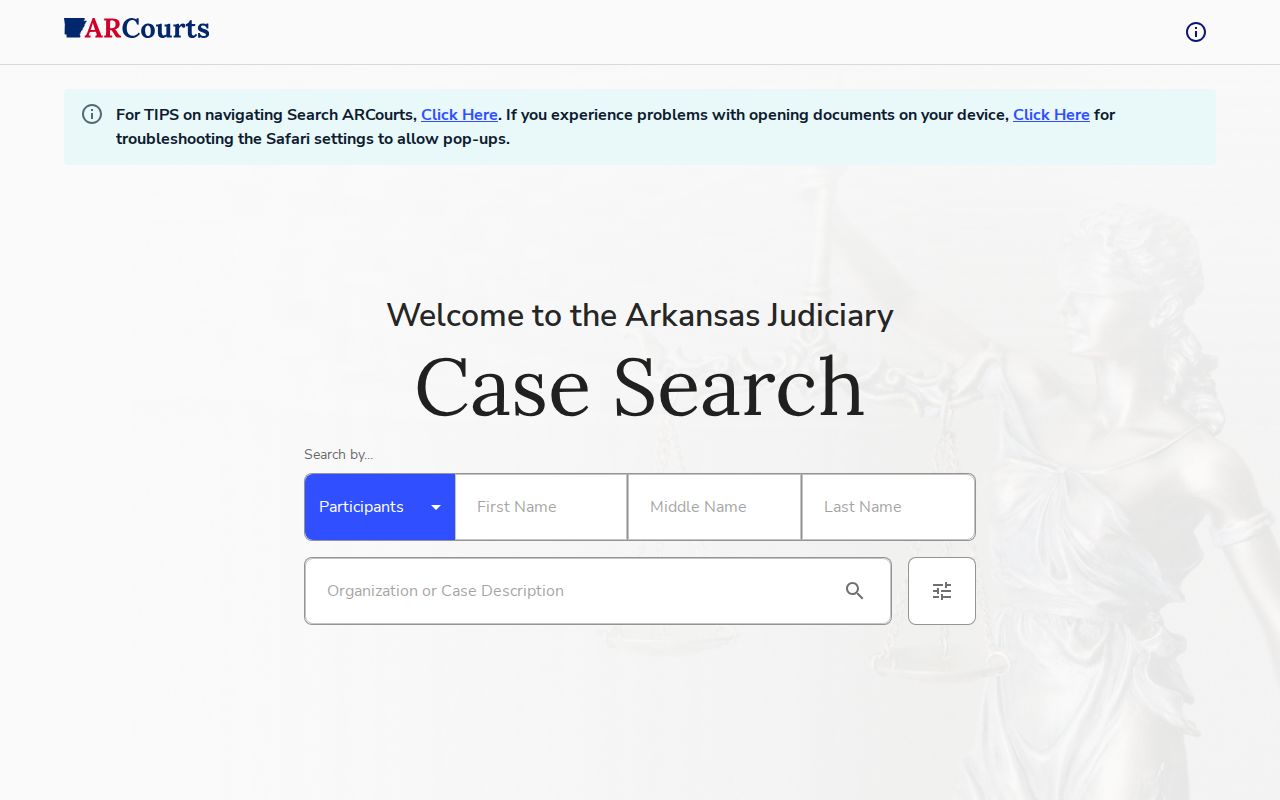
Both search modes are clear enough, but always check case data against the matching court and clerk before relying on it. No ordinary public login appears on the screen. Search ARCourts also does a different job than Arkansas eFlex. eFlex carries filings into the court system for authorized filers, while Search ARCourts is the docket reader the public actually uses.
Little River County Docket Result Sorting
Search ARCourts hands you 25 result rows at first. You can bump that to 50 or 100. After selecting Little River County, sort a heading or apply its filter. That helps a lot with common names. Even so, each candidate still needs a court, case type, filing date, and participant-role check before you call it a match. Narrow things down inside the portal. Avoid copying a broad result set into a private list. If doubt remains, search the known case number. Or ask the clerk about the one matter you are after.
Case Number Searches
Choose Cases and type the exact number when you have it. A verified Little River Circuit civil example is 41CV-25-8. Here 41 is the county prefix, CV marks a civil matter, 25 is the two-digit year, and 8 is the sequence. Keep the punctuation. Assume nothing about other case types beyond that. Case mode also takes a Citation Number. Expand Detail to layer in a filing date range, case type, Little River County, or court location. Try the full exact number first. If it fails, compare the number on your notice against the filing court, then call the Circuit Clerk for Circuit matters or the District Clerk for traffic, misdemeanors, regular civil, and small claims.
Little River County Name Search Limits
A single spelling change can bury the right result. Begin with the name exactly as filed. If nothing comes back, lean on the AOC's three-character partial matching, drop an optional middle name, or search an organization by its main words. A broad list of similar names never proves two entries belong to the same person. The official navigation tips spell out the name and case search controls.
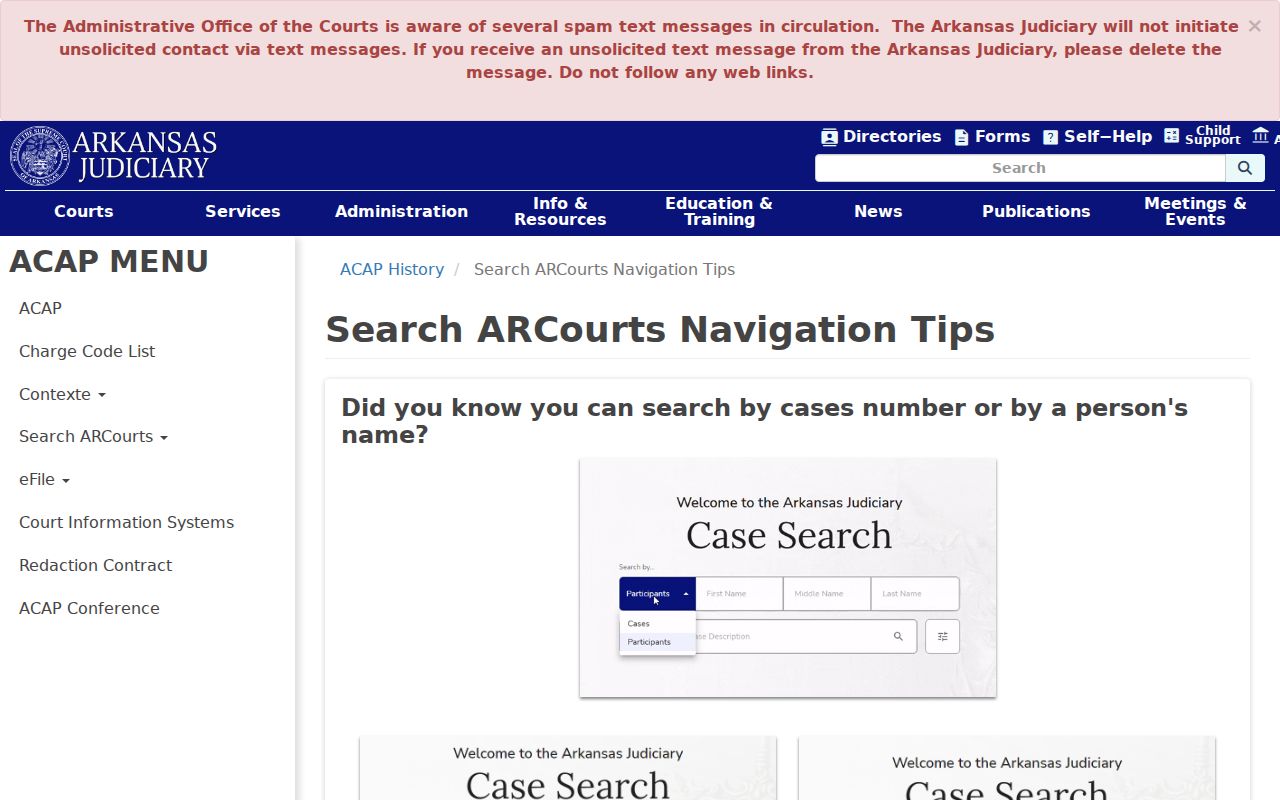
Those navigation details help you sharpen a search. Through it all, keep the county, court, and case facts at the center of any identity check.
No result is not a finding. Sealed, juvenile, older, recently filed, or otherwise restricted Little River County cases may be absent from public results.
Case Search Results Explained
Open a Little River County case and you may find a Case Summary, Participants, Case Events, Offenses, Sentences, Milestone Tracks, and Docket Entries. Not every block gets filled. Read the header first. Then work through the entries in date order. A linked label under Documents can open a public filing. And "None" there means the portal shows no image on that row, not that the clerk holds no paper.
| Case Number | The local identifier, such as 41CV-25-8. |
|---|---|
| Filed Date | The date the matter entered the court record. |
| Court and Type | The Circuit or District location and the portal's subject classification. |
| Participants | Names and roles, which may include judge, division, parties, and attorneys. |
| Status | The current case-level label, such as the observed CASE CLOSED. |
| Docket Entries | Filing date and time, description, detail, name or role, and document links. |
Read any status label next to the newest judgment, dismissal, or order. One observed "Payment Received" entry was just a clerk receipt. By itself, it did not prove the judgment was satisfied.
Little River County Sample Docket Fields
The anonymized Little River Circuit civil sample lays out what a public detail view can hold without leaning on private party facts.
The interface makes plain the split between the case header, participant roles, event blocks, and the chronological filing list. Observed entries covered the civil cover sheet, complaint or petition, summons fee, summons issued, proof-of-service affidavit, disposition sheet, motion for default judgment, judgment, and a later judgment modification. Some complaint, summons, affidavit, motion, and judgment rows linked to their images. Others offered none. No statewide list of status or disposition terms exists here, so read each description as written instead of guessing at abbreviations.
Little River County Docket Document Pop-Ups
Clicking a document label in Safari and getting nothing usually means one thing. Pop-ups are blocked for the official Search ARCourts domain. Allow them, then try the label again. First, though, check that the row holds a real link. A Documents value of "None" is a portal-availability statement, not a browser fault.
If the image still will not open, write down the case number, filing date, and docket description. Give those facts to the clerk. Request the public filing by name.
Two Ways to Search: County and State
Little River County posts no single county portal covering every case. The statewide public layer, Search ARCourts, covers it instead. Filter your results to Little River and most dockets will surface. For anything the portal cannot confirm, the local clerk office verifies files, fills image gaps, and issues official copies. The two routes work as partners rather than rivals.
| Search ARCourts | Little River clerk route |
|---|---|
| Free public search across many Arkansas appellate, circuit, and state district records | Case-specific help from the office that keeps the local file |
| Best for names, case numbers, citations, summaries, entries, and selected images | Best for missing cases, unlinked filings, official copies, and custody questions |
| Informational display, not a certified record or legal notice | Clerk-authenticated copy available when public and requested |
The Circuit Clerk sits at 351 N. Second Street, Suite 5, in Ashdown. The phone there is 870-898-7212. The District Clerk public route is 2115 N. Constitution Avenue, Ashdown, at 870-898-7230, and estate probate may point instead to the County Clerk at 870-898-7210.
Little River County Search System Change
Public CourtConnect gave way to Search ARCourts in a 2024 transition. The old links did not survive it. A bookmarked CourtConnect address or an older set of instructions may now lead somewhere retired. Search ARCourts is the current public search for Little River County cases. eFlex remains the filing channel. The official CourtConnect retirement notice spells out the switch that changed how Little River County searches work.
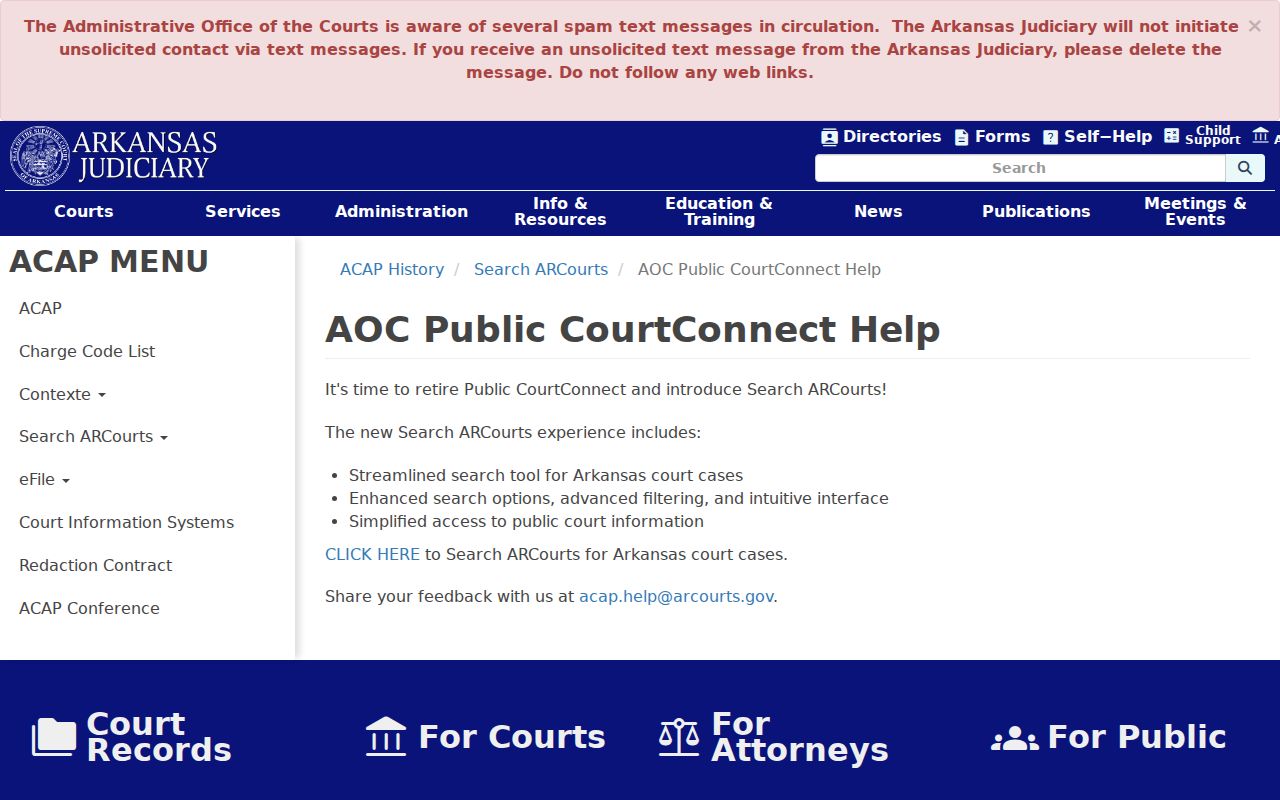
The system change explains dead bookmarks. It says nothing about the oldest available year or how often each Little River docket refreshes. Ask the office that holds the file. Safari users hit a second snag when a public document link refuses to open. The fix is usually allowing pop-ups for the portal. Check the document label and browser settings before anything else. If the row reads "None," no browser tweak will produce an image. Ask the clerk for the public filing instead.
Little River County Docket Search Fallback
Pick your fallback by case type. Felony, major civil, and family files belong to the Circuit Clerk. Traffic, misdemeanor, regular civil, and small claims belong to the District Clerk. Estate probate is trickier. The local duty descriptions for the Circuit Clerk and County Clerk overlap, so the question may touch both offices.
Give the office an exact case number whenever you can. Without one, offer party names, a rough date, and the case type. Ask whether the file is public, paper-only, archived, or held by another office. The answer shapes what you can get.
Which Cases Stay Restricted
Arkansas keeps court records open by default. Arkansas Supreme Court Administrative Order 19 is the rule that does it. It shields only what law, court order, or rule excludes, such as Social Security and account numbers. Juvenile records sit behind confidentiality rules under Arkansas law. Sealed cases, adoptions, sensitive dependency material, and other protected documents may be limited or missing from view.
A gap tells you little on its own. The file could be sealed, never filed, entered under a different spelling, kept only on paper, or restricted for some other reason. Take the case number to the office that holds the record. Access may depend on party status, identification, or a court order. Little River County has posted no general local identification checklist. The clerk can explain filing and access procedure. The clerk cannot decide your legal eligibility for access.
Older Little River County Docket Searches
Old searches in Little River County come with a built-in obstacle. A courthouse fire at Richmond in 1883 destroyed a large share of the records. Some material was rebuilt from Sevier County records and affidavits. Coverage before the fire, online or on paper, cannot be assumed continuous.
Start with the Circuit Clerk. Ask whether a surviving record is bound, archived, reconstructed, or sitting in a state archive. Give the party names, a rough date, the record type, and any case reference you have. The statewide portal does not name its oldest year. For a modern case that shows online but needs an official copy, move from the search result to the Little River County court case records request route.